Elevate Your Gaming Experience with Our Powerful Gaming PC Builds

Get ready to dominate the competition with our carefully curated Gaming PCs. Designed and built by gamers, we know what you need to dominate the competition in your favourite games, enjoy the beautiful landscapes crafted by developers and immerse yourself in your favourite stories.


Customisable Components

Choose from a variety of pre-built bundles or customize your own. Our expert team will help you select the components that suit your needs and budget, ensuring you get the best value for your money.

Unmatched Performance

Our PCs feature the latest and greatest components from industry-leading brands, ensuring you get the highest level of performance possible. Whether you're a casual gamer or a professional eSports player, our systems will help you achieve your gaming goals.

Exceptional Support

At Gladiator PC, we pride ourselves on providing exceptional customer support. Back by our industry leading 4 year warranty, our team is on hand to give you the help you require when setting up and troubleshooting your PC.

Choosing Your Perfect Desktop PC

Read about the different components of your PC in order to make an informed purchasing decision.

The central processing unit (CPU) is the brains of your system, computing math equations for your applications and games. The number of cores and clock speed effects the overall performance of your CPU but as does the architecture used by the manufacturer. The higher the cores and clock speed you choose, the faster your PC will complete demanding tasks. Our desktop PCs can be configured with Intel or AMD processors, each with unique technologies specific to gaming, graphic design, office work and more.

A graphics card is a display adapter part of the computer that helps make pictures and videos look crystal clear and vibrant on your screen. Similar to the CPU except with it’s own memory. It takes instructions from the computer and turns them into pictures that you can see. Gaming graphics cards usually come with HDMI and DisplayPort adapters to connect them up to your monitor..

RAM, or Random Access Memory, is like a quick and temporary storage area inside your computer. It holds important information and files that your computer needs to work on right away, so it can access them quickly. Having more RAM means your computer can handle more tasks at once and work faster. However, when you turn off your computer, everything in RAM is erased, so it's like a temporary workspace that gets cleared out when you're done.

The motherboard is like the boss of your computer, it's the main circuit board that connects and controls all the other parts. It provides power and allows communication between the different components, like the processor, memory, storage, and graphics card. Think of it as the central hub that makes sure everything in your computer works together smoothly. It also has slots and connectors where you can plug in other devices, like your keyboard, mouse, and monitor. Without the motherboard, all the parts of your computer wouldn't be able to work together and your computer wouldn't be able to do anything. Higher end motherboard usually come with more ports and improved circuitry components to handle higher boost clocks on CPUs.

HDD and SSD are two types of storage devices used in computers. HDD, or Hard Disk Drive, is a traditional storage system with spinning disks and mechanical parts. It offers larger storage capacities at a more affordable price but tends to be slower in data access. SSD, or Solid-State Drive, is a newer and faster storage device that uses flash memory chips. SSDs provide quicker boot times, faster program loading, and snappier file access. They are also more durable and resistant to physical damage but come at a higher cost with smaller storage capacities compared to HDDs.

The choice between HDD and SSD depends on various factors. If you need affordable and spacious storage but can tolerate slower performance, an HDD is suitable. For speed, quick data access, and enhanced durability, SSDs excel but at a higher cost and smaller capacity. Many users combine both, using an SSD for the operating system and frequently accessed programs, while utilizing an HDD for storing large files. This way, you can strike a balance between speed and storage capacity based on your specific needs and budget.


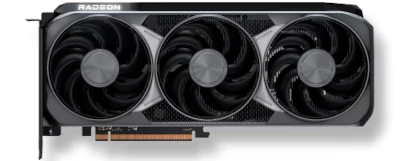
Get the best AMD experience with AMD Radeon RX 9070 Series Graphics Cards

Experience next-level performance with PCs powered by AMD Radeon™ RX 9070 GPUs. Built on RDNA™ 4 architecture, they deliver stunning 1440p gaming with 16GB GDDR6 memory and enhanced ray tracing. AI-powered FidelityFX™ Super Resolution 4 boosts visuals without sacrificing frame rates. Elevate your gameplay with speed, power, and efficiency.

RX 9070 Systems

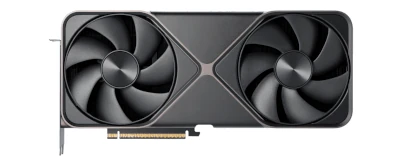
Utilise game changing features NVIDIA GeForce RTX 50 Series graphics cards

Unlock elite performance with PCs powered by NVIDIA GeForce RTX™ 50 Series GPUs. Featuring cutting-edge AI-driven DLSS 4 and next-gen ray tracing, they deliver stunning 4K gaming with unmatched efficiency. With blazing-fast GDDR7 memory and advanced cooling, experience smooth, high-FPS gameplay in even the most demanding titles.

RTX 50 Series Systems